

Technology
Module, controller, vision, and software, built as one stack
Vision is added where the application calls for it. Buy the stack as a platform, integrate the module into a line you already run, or bring an earlier LasX machine up to the current generation.
LaserSharp® Module
The patented laser processing module at the core of every LasX platform. It also goes into converting lines LasX did not build, after interface and safety review. Sources are CO₂ at 9.4, 10.2, and 10.6 µm, plus NIR, green, and UV. Pulses on those three run from nanosecond to femtosecond. Module variants cover fixed-beam, contouring, and wide-field work. Over 600 installed.
Module specifications →Proton λ
A real-time laser process controller. Embedded multi-core control and purpose-built field-programmable gate array (FPGA) timing run high-speed laser modulation, scanner communication, encoder synchronization, vision registration, and factory integration as one laser process. Proton λ ships inside every LaserSharp® Module, which is the module OEMs integrate, and inside every turn-key LasX machine.
Proton λ specifications →LightGuide®
The software your operators run the machine from. Each product is saved as a recipe: artwork, laser settings, registration, and run mode. A changeover means opening a file instead of changing a die. On a machine with vision, a barcode printed on the web loads the next job by itself.
What LightGuide does →µVerify™
The LasX verification platform. Its first application is inline inspection of laser micro-perforation. Every hole is measured for size and shape at line speed, charted, and recorded against the recipe. If failures repeat, the line stops. Its newest module, Pulse, watches the beam itself. A detector in each LaserSharp® Module confirms that every firing command from Proton λ produced laser output. The platform is being extended to verify the other features LasX machines produce. It is also being extended to bring the vision registration and live correction Proton λ already runs under the µVerify name.
What µVerify checks →µVerify™ Pulse
Beam confirmation on every module
A detector samples the beam path inside each LaserSharp® Module. It confirms that every firing command from Proton λ produced laser output. Warning and error thresholds are set per module, for one or more missed pulses. An error requests a stop over the machine's existing programmable logic controller (PLC) fault connection. Pulse confirms only that the beam is present at the sampling point. It does not grade the feature, measure calibrated power, or replace a safety-rated interlock. Pulse is offered as an option on new machines and as an upgrade to installed LaserSharp® Modules, quoted from your serial number.

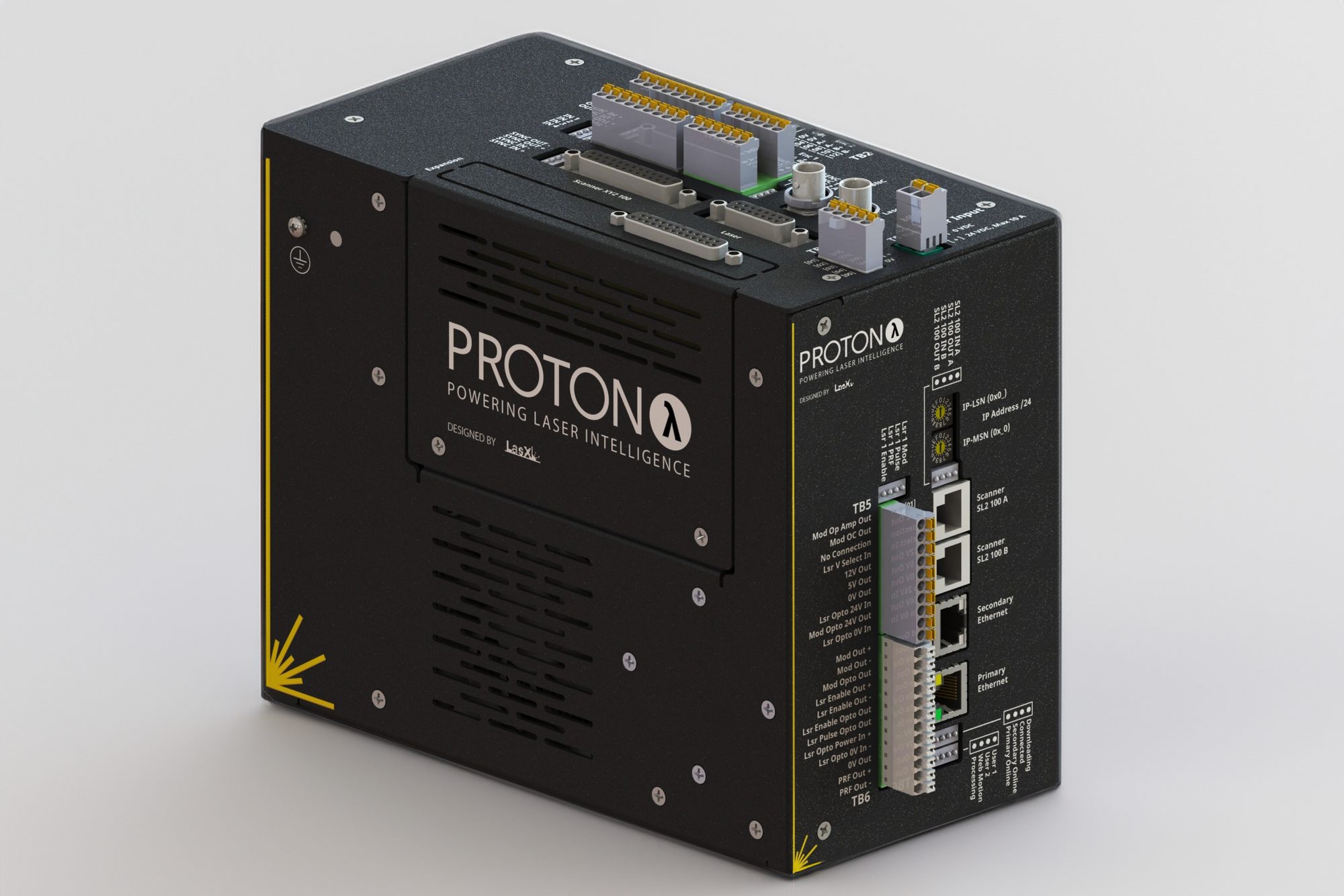
A real-time laser process controller for high-speed laser applications
Proton λ pairs deterministic FPGA timing with real-time embedded control. It synchronizes laser, scanner, motion, vision, and factory integration in one modular platform. It is built as a process controller for any laser process. That covers drilling, cutting, scribing, marking, micromachining, web converting, roll-to-roll, and multi-head machines.
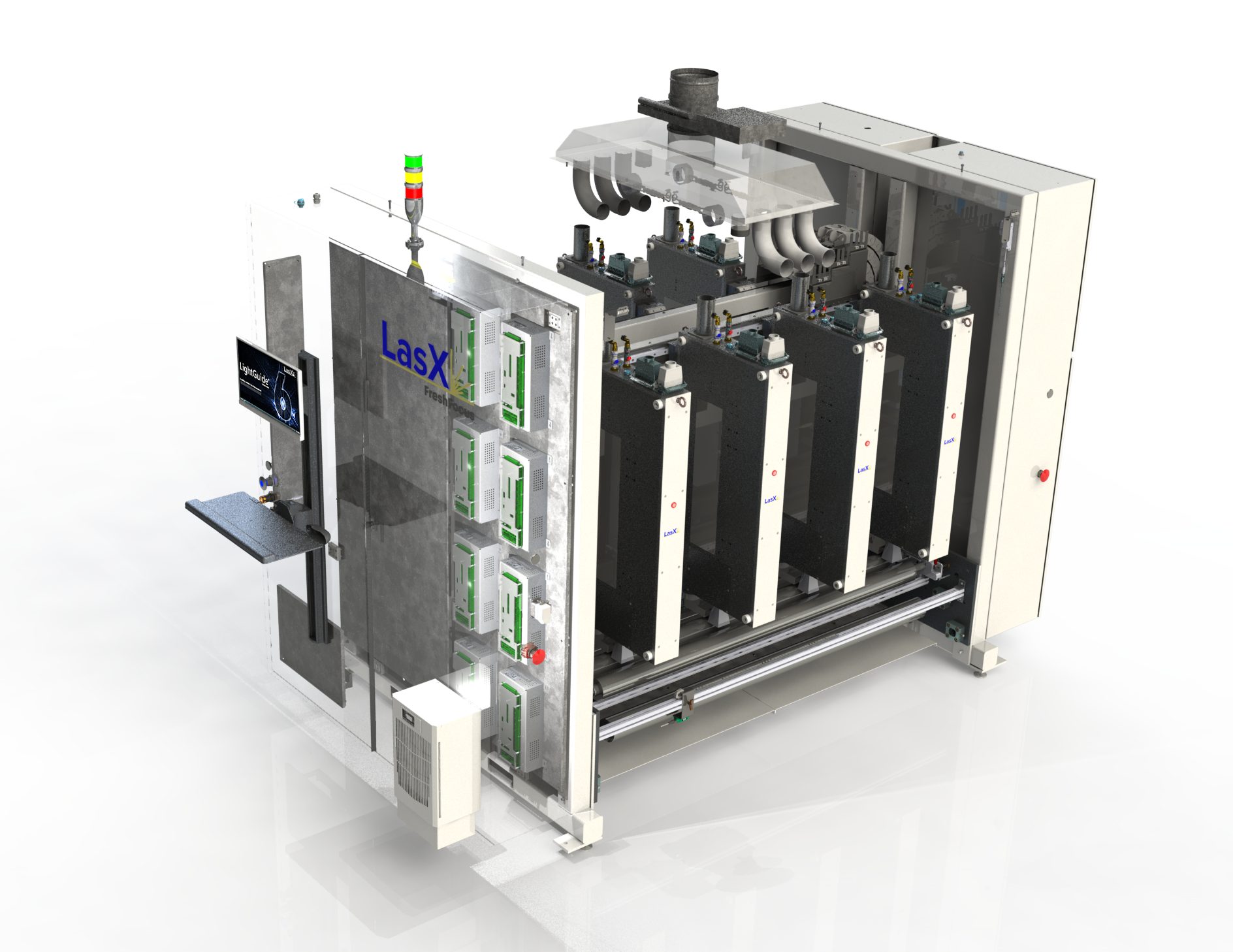
How you get it: one Proton λ sits inside every LaserSharp® processing module. LasX sells that module directly to OEMs for integration, and every turn-key LasX machine carries it. Proton λ is not offered as a standalone controller. The largest configuration in production runs sixteen modules, and sixteen Protons, on one marking machine.
Laser timing & modulation
- Pulse control
- Individual control up to 10 MHz; pulse placement within 10 µs scanner micro-vectors
- Timing engine
- 100 MHz FPGA timing clock, 10 ns output resolution
- Laser interfaces
- PWM, gated, pulsed, laser enable, PRR; TTL, RS-422, 24 V, 12 V, 5 V, high-speed optically isolated
Scanner & motion synchronization
- Scanhead support
- Native support for the standard digital scanhead protocols; extensible to third-party protocols
- Output channels
- Up to four bidirectional scanhead channels; one three-axis or two two-axis partitioned configurations
- Encoder sync
- Two 5 V RS-422 quadrature inputs with distance and velocity interpolation
- Motion sync
- Process-on-the-fly: two-axis linear and rotary-at-radius operation
Vision registration & process nudging
- Vision input
- TCP/IP server for multiple camera-client positional data
- Registration models
- X/Y/θ; four-point bilinear stretch/skew or best-fit; rotary tracking
- Process nudging
- Position, focus, speed, and power adjustments during operation
Correction & predictive control
- Correction models
- Two-axis scanner and four-axis scanner/table grid correction; F-theta lens parameters
- Predictive control
- Model-based scanner prediction for low-latency compensation; processes during scanner acceleration, without waiting for constant velocity; pulse-on-demand
- Thermal lensing compensation
- Focus adjustment from laser on-time, accumulated thermal load, and hysteresis
Execution & integration
- Processor
- 1.25 GHz multi-core real-time embedded controller, 4 GB RAM
- Job execution
- Gigabyte-scale onboard queues with dynamic queue updates during operation
- Factory interface
- Dual Gigabit Ethernet, EtherNet/IP registers, discrete and optically isolated I/O
- Job input
- Jobs authored in LightGuide®; imports PDF, DXF, SVG, BMP, JPG, and PNG
- Scale
- One Proton λ per LaserSharp® Module; sixteen modules on a single machine in production, each synchronized to the part it processes by trigger sensors and digital encoders; expansion slot for add-on boards
- Process data
- Scanhead status, temperatures, voltages, positional feedback, and diagnostic data, reported to LightGuide®


From customer artwork to a running job, with no die to change
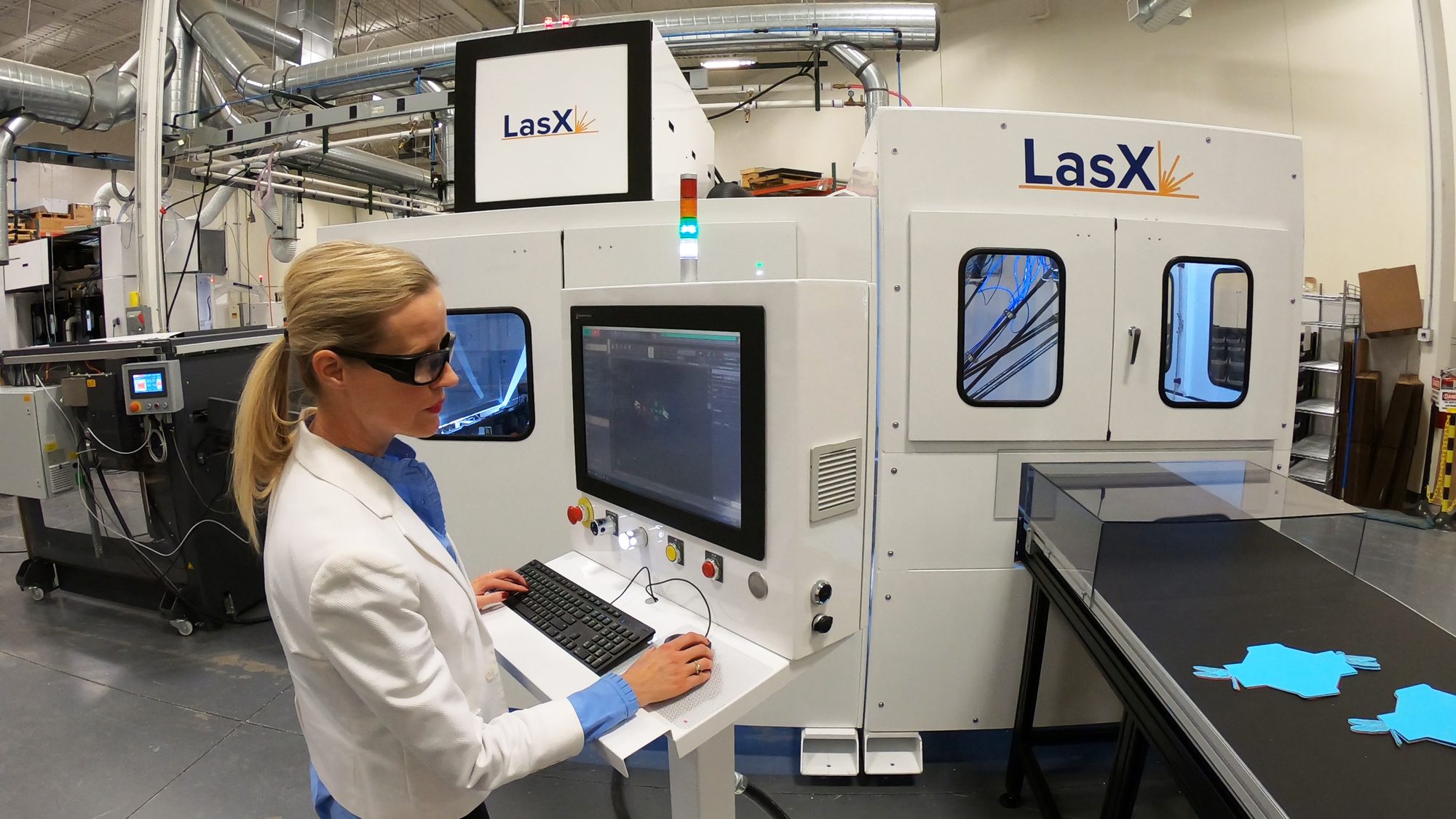
LightGuide® takes a design file, prepares it for the laser, registers it to the material, and drives the laser and motion to cut, score, perforate, mark, or drill. Operators watch and trim the run live. It runs every LasX machine and every LaserSharp® Module an OEM integrates, and it connects to the PLC, manufacturing execution system (MES), and equipment around it.
How you get it: LightGuide ships with every LasX machine and every LaserSharp® Module. Current releases retrofit onto earlier LasX platforms under the Equipment Upgrade Program, and ClearCut® Silver and Gold plans include software updates. What a given machine shows depends on its configuration. Vision, automation, and inspection features come with the hardware that uses them. For XY machines on their own G-code controller, LightGuide is licensed as software. Ask us about it.
From artwork to a running job
- Files in, or drawn here
- Layered PDF, DXF, DWG, SVG, and common image formats — the artwork customers already have; one file can drive the press and the laser. Or draw the part in LightGuide from lines, arcs, splines, drill points, hatching, and text in any installed font. Finished jobs export to DXF, DWG, SVG, or G-code.
- Unattended job preparation
- Artwork dropped into a watched folder is prepared on its own: cleaned up, nicked, split across modules, and written out ready to run. Layers named for their process pick up the right power, speed, and frequency.
- Nicks, picks, and scrim
- Nicks — short kiss cuts — hold cut parts in the web until extraction. On automated machines, robot pick targets and scrim slicing come from the same job, so the waste web is cut up rather than left whole to catch on parts.
Prove it before you run it
- The processed job, not the drawing
- See what the laser will actually do: paths in marking order, the jumps between them, nicks applied, text converted to geometry, and the part oriented to the direction of travel, with total travel length and estimated process time. Step through it in marking order before any material moves.
- The whole machine at once
- Every design across every scan field on one screen, each placed where its controller will actually mark it. Overlap, spacing, and misplacement are visible at a glance.
- One shot, static
- Fire the loaded job once in place — no web motion, no registration — to confirm placement before committing material.
- Maximum web speed
- Estimated from the job before it runs: the fastest the web can move with every feature still lased inside the field. The number reaches the line before that job starts. A ceiling, not a target.
Changeover and throughput
- Product recipes
- Each product is a saved recipe — job, laser settings, registration, run mode. A changeover is opening a file.
- Instant order change
- With vision, a barcode printed on the web selects the next job — many designs off one roll, no operator selection. Every candidate job is loaded to the controller before the run starts, so reading the barcode adds no delay.
- Queues and job pools
- Build the sequence up front and let the controller work through it, advancing on web distance, an index trigger, or an external trigger. Or drop files in a watched folder and call them up by name.
- Several modules, one job
- One design is split and balanced across modules, with part counts totaled across all of them.
- Where the time is going
- Live cycle count, web speed, and utilization of the available time, field, and laser capacity — so you know whether the laser or the line is the constraint.
Registration and live correction
- The field is corrected
- Every scan field is measured on a known grid and corrected, so the beam lands where the design says across the whole field, not just at the center.
- Registration
- Up to four cameras find marks or features, and the job is fitted to them — best fit or stretched — so the artwork lands where the material actually is. Long jobs split into sub jobs, each registered from its own marks, so small errors do not accumulate down the roll.
- Nudge
- Operators nudge a running job without stopping to re-edit it: position, rotation, focus, power, and process speed, by a typed value or a step at a time from the run screen. Power and speed can be nudged layer by layer, modules can be linked so one adjustment applies to all of them, and every change stays inside the range the laser and scanhead allow.
Variable data and inspection
- Variable data
- Date codes, lot numbers, and serials change from part to part, in any font on the machine, with values from the line's control system if needed. A mark can also carry the machine and module that made it.
- µVerify
- Post-process inspection at production speed, across many cameras at once. Its first application measures every micro-perforated hole for area, diameter, and shape against tolerance — charted live with statistical process control (SPC) statistics, logged to a database on the machine, and exported as CSV. Failure images are saved automatically, and repeated failures stop the line.
Connected to your line
- PLC and supervisory control and data acquisition (SCADA)
- A built-in OPC UA server lets the PLC or SCADA system load recipes, start and stop the machine, and read state, alarms, and counts, with signed and encrypted connections available. On supported PLC platforms, line faults show in LightGuide and reset from there.
- MES and enterprise resource planning (ERP)
- A JSON web application programming interface (API) lets an MES or ERP run the job queue, start and stop continuous processing, and pull completions per job and hourly utilization.
- Downstream equipment
- Positions from the job — where a slitter should cut, where a robot should pick — go to the equipment after the laser.
- Vision runs inside LightGuide
- Cameras are triggered, viewed, and calibrated from the application itself — no second vision program to open, and no separate screen to watch.
- Machines without a LasX controller
- For XY systems driven by a G-code controller, LightGuide designs the job and outputs the G-code — the same front end without a Proton in the chain.
Access and preparation
- Sign-in and permissions
- Each operator group sees and changes only what it is allowed to, down to individual settings. Calibration and service controls stay with a trusted few.
- Prepare jobs away from the machine
- LightGuide installs with a simulator and no hardware attached, so jobs can be designed, prepared, and checked at a desk instead of on the machine. Desk installs are licensed separately.
In production
See it run
Names, defined
What each name means
- LasX Industries
- The company: an industrial laser processing systems manufacturer and contract laser manufacturer, St. Paul, Minnesota, founded 1998.
- LaserSharp®
- The family of laser processing modules inside every LasX machine. Modules differ by laser source — CO₂, NIR, green, UV — and pulse regime, and share one control and software architecture. Also sold to OEMs for integration.
- Proton λ
- The real-time process controller inside every LaserSharp® Module — one per module.
- LightGuide®
- The software on every LasX machine and LaserSharp® Module: artwork preparation, product recipes, barcode-driven order change on vision-equipped machines, registration, live adjustment, variable data, and connection to the line's PLC and MES.
- µVerify
- The LasX verification platform. Its first application is inline micro-perforation inspection; Pulse, its beam-confirmation module, confirms that each firing command produced laser output. It is being extended to verify other laser-made features and to bring vision registration and closed-loop correction with Proton λ under one name.
- FocusPro™, ScoreLine™
- The LasX flexible-packaging range. FocusPro is the machine, from a 600 mm mid-web to full-width multi-module production; ScoreLine is an easy-open module that mounts on a pouch-making machine the converter already runs. FocusPro was previously named FreshFocus.
- SmartFinish™, ExactPro™, SheetPro™, MicroLam™
- Roll- or sheet-to-part finishing, square-bed XY micromachining, large-format static-bed sheet processing, and narrow-web roll-to-roll converting, respectively.
- LaserSharp® Marking
- Direct-to-package laser marking systems.
- PhotonX Innovation Lab
- The LasX applications lab in St. Paul that runs customer materials across CO₂, NIR, green, and UV sources and four pulse regimes and returns samples with a process report.
- ClearCut®
- LasX after-market service plans — Bronze, Silver, Gold — for installed equipment.
- FlexPak Services
- The LasX sister company that runs flexible-packaging contract converting on LasX equipment.
Pulse duration and material coupling
Why a nanosecond NIR laser leaves a burr on copper foil and a femtosecond source does not. Why dwell, not pulse width, sets the edge on film and board. One comparison, computed from published constants, with an interactive heat-confinement map.
Read the guide →Absorption explorer
How deep each wavelength (CO₂, NIR, green, UV) penetrates twenty-five common materials before it is absorbed. Drawn from public-domain optical constants. Add and remove materials to compare.
Open the explorer →Questions engineers ask
Is the same technology in the contract-manufacturing floor and the equipment you sell?
Yes. The LasX manufacturing floor runs LasX equipment. A process proven in the PhotonX lab and run in contract production transfers to a machine on your floor with the same module, controller, and software.
Can an older LasX machine get the current software?
In most cases, yes. Current LightGuide® releases retrofit onto earlier LasX platforms under the Equipment Upgrade Program. A quote starts from your serial number.
How do I know the laser actually fired?
µVerify Pulse confirms it. A detector in each LaserSharp® Module checks that every firing command produced laser output. Missed pulses raise a warning or an error at thresholds you set. An error asks the line's PLC to stop the machine. Pulse confirms beam presence, not feature quality. µVerify's vision application inspects the feature itself. Pulse is quoted as an option or as an upgrade to an installed module.
Can our PLC or MES run a LasX machine?
Yes. LightGuide® includes an OPC UA server, so a PLC or SCADA system can load recipes, start and stop the machine, and read its state, alarms, and counts. A JSON web API lets an MES or ERP build the job queue and pull completion and utilization history. On supported PLC platforms, the line's faults show in LightGuide's alarm list and are reset from there. Integration details are available on request before you order.
Can we change designs without stopping the line?
Yes. Each product is a saved recipe, so a changeover is opening a file rather than changing a die. With vision, a barcode printed on the web can select the next job on its own — many designs off one roll, no operator selection, no line stop. The order-change video above shows it on a label line.
What files can we send?
The artwork you already have: layered PDF (preferred), DXF, DWG, SVG, and common image formats for raster work. Put each laser process on its own layer, named for the process, and LightGuide applies the matching laser settings when it prepares the job. The same file can drive your press and the laser.
How fast can the line run with our design?
LightGuide calculates it from the job: the fastest web speed at which every feature is still lased inside the laser's field, allowing for repeats, spacing, and the number of modules down the web. Treat that as a ceiling — material, edge quality, and the automation around the laser can all call for less — which is why a PhotonX trial measures the speed your material actually holds. The same calculation shows whether another module would add speed before one is installed.
Which laser source will my application need?
It depends on the material's absorption at each wavelength and on the edge quality required. Rather than guess, we run your material across sources in the lab. The report names the source that holds the specification at the line speed you need.
Nanosecond, picosecond or femtosecond — how do I know which pulse regime my part needs?
Compare how far heat travels during the pulse with how deep the light is absorbed, and with the feature you need. Our pulse-duration guide works through that comparison for common materials. Its interactive map is computed from published constants. The trial then measures the edge and the rate on your material.